
See which apps run, including unreported ones.
Shadow IT grows faster than you can keep up with. Organizations know about forty percent of their apps on average, says Gartner. The rest runs in the workspace without anyone looking at it, or on a work email with a separate password. Mapit discovers them before they become a risk.
Gartner, Magic Quadrant for SaaS Management Platforms, June 18, 2026.
How apps get in without a decision, and what you do about it with Mapit
A team set up a tool on its own
Something had to get done and the team picked an app themselves, paid with a department card. No bad intent, just nobody who recorded it anywhere. In Mapit, that app simply appears in the list, with who has access to it.
Signed in with the work account, without asking anyone
Anyone who signs in with Google or Microsoft leaves a trace in the workspace. That trace was always there, but nobody had time to go through it. Now such an app shows up in the overview by itself, and you decide whether it stays.
An app nobody is responsible for
Without a budget owner and a gatekeeper, nobody can say whether the app may stay, who pays for it or what is in it. In an audit, that is exactly the app you get stuck on. Now you assign both: the budget owner for whether their team needs the app, the gatekeeper for the app itself.
Access for someone who left long ago
A former colleague who can still get into an app can also get to the data in it. Here the app is known, but the account should have been closed. You revoke that access; see Offboarding.
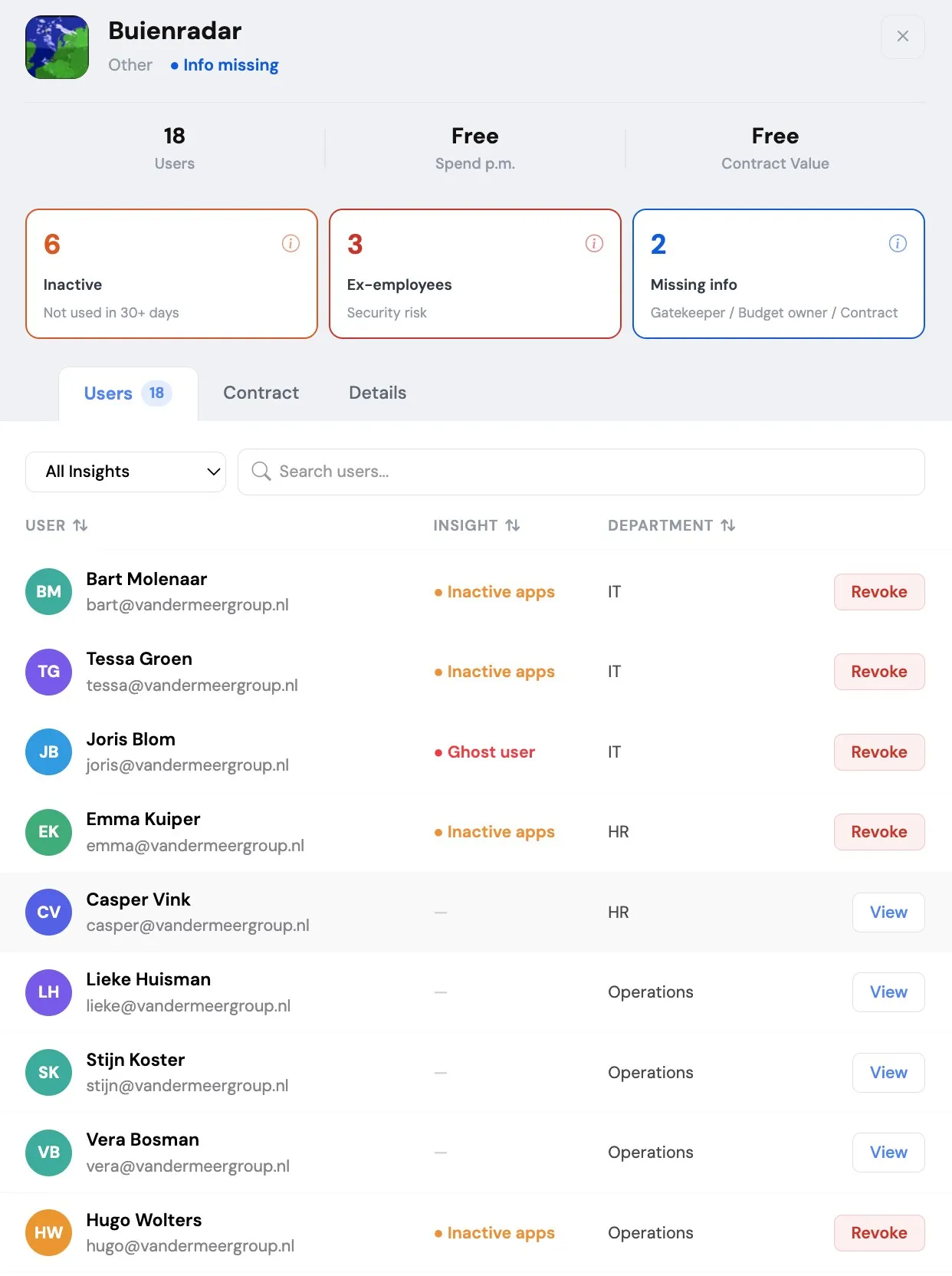
Connect and done: one connection to Google Workspace or Microsoft 365 plus a browser extension, no IT project. The overview stays accurate without anyone maintaining it. No lists, no credit card statements, no finance admin, no digging around.
Discover shadow IT and reduce the risk.
Frequently asked questions
Why does shadow IT happen?
In many companies, people and teams can buy tools themselves, because it is faster than going through IT or because there is no process for it yet. Quick to buy, but hard to keep track of.
How does Mapit discover apps?
From two sources at once. The connection with Google Workspace or Microsoft 365 reads the sign-in records your workspace already keeps, so every app someone signs in to with their work account comes into view. The browser extension adds the apps where people sign in with a separate password.
What does the browser extension see, and what not?
The extension only pays attention to work sign-ins: which app and which user. It ignores personal browsing and sign-ins with a private address. It cannot read files, look at email or calendars, or change anything. It observes; it doesn't act.
Will I see it when a new app is added?
Mapit scans daily and picks up new apps by itself. They appear in the overview as newly discovered, so you see what has been added since last time.
What can you do with an app you don't know?
You assign a gatekeeper who finds out what the app is and whether it is safe, and a budget owner who decides whether their team needs it. Then you decide whether the app is allowed or not. If it is not allowed, you first revoke the access and then cancel the app with the vendor. After that, you remove the app or mark it as not allowed. If someone starts using it again anyway, the next scan picks it up again and you immediately see who it is.
Don't we already see this in our SSO logs?
They complement each other. An SSO log shows who signs in to the apps connected to your sign-in system. Mapit shows which apps are running, including those with a separate password outside SSO, and how many people still open them. A log is about access; Mapit is about what is in use.