
Show any day what is running and who has access.
You are accountable for all the software that runs in your organization, and according to Gartner, organizations know about forty percent of it on average. ISO 27001, GDPR and NIS2 ask you to show what is running and who has access. Mapit keeps track of that every day, so at audit time you export it instead of building it.
Gartner, Magic Quadrant for SaaS Management Platforms, June 18, 2026.
What Mapit gives you as Compliance
An overview that does not go stale
An auditor does not ask whether you have a list, but how an app that Marketing buys on its own ends up in it. Mapit scans daily, so new apps and new users show up by themselves. You no longer have to email anyone to ask whether it is still accurate.
Per app, who has access and whether it is used
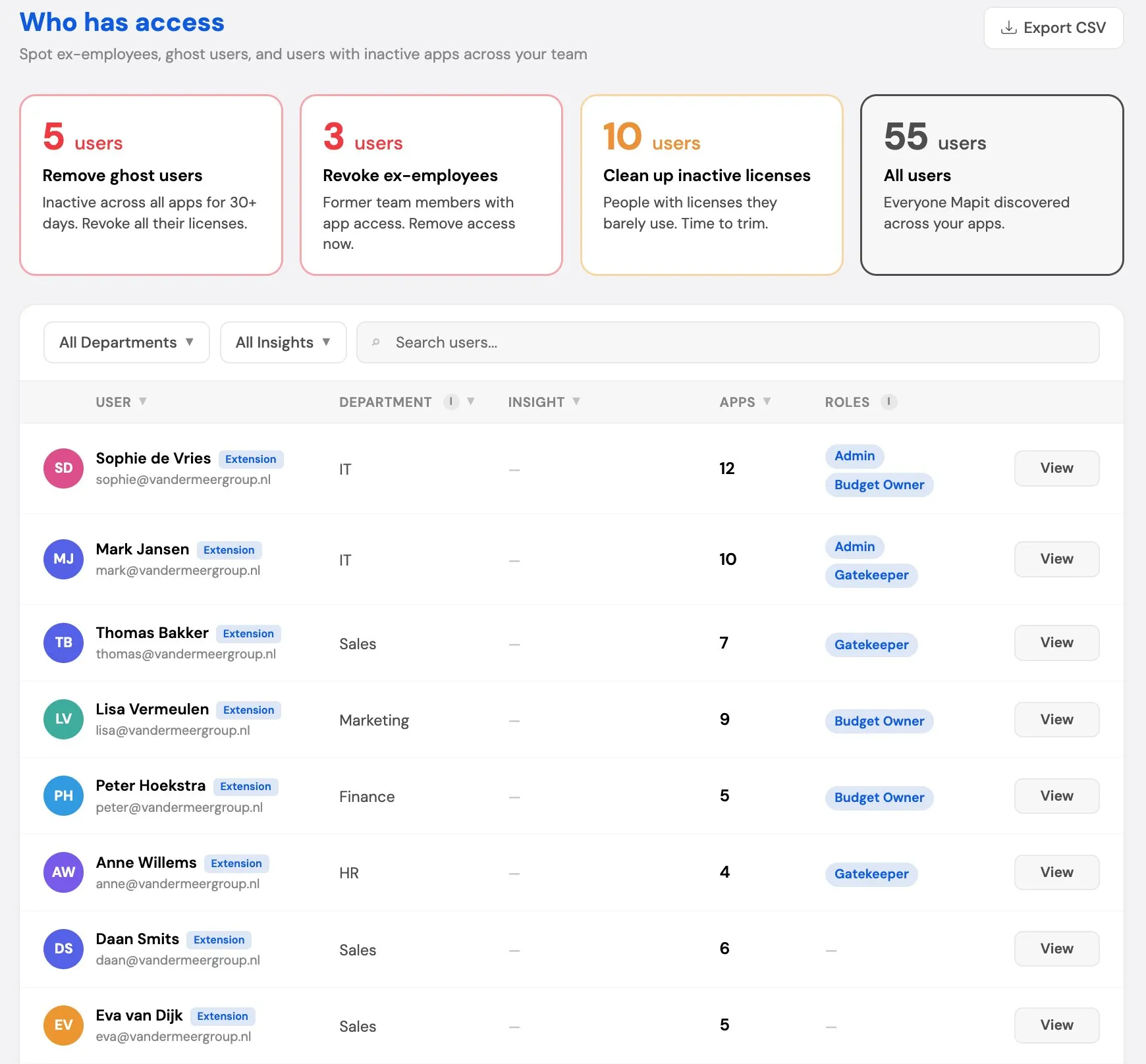
That is the first question in the audit room. For each app you see right away who has access. After thirty days, Mapit breaks the link between user and app, and anyone still using the app simply signs in again. If that sign-in does not happen in the thirty days after, Mapit marks the person as inactive. So after about two months you know who has access without using it, and you revoke that access before anyone asks.
A budget owner and a gatekeeper for every app
Without a point of contact, a question goes unanswered. The budget owner decides whether the app is still needed for their own team. The gatekeeper decides per user whether someone keeps their existing access or loses it. If one department cancels, the gatekeeper sees who else still uses the app. That is what an auditor wants to see in access management.
Who still has access, and proof that it was removed
Mapit shows who still has access, including people who have already left the organization. When you revoke it, the date is recorded for each employee. That is the evidence Annex A 5.11 of ISO 27001 asks for. See also Offboarding.
Where to start: SaaS inventory. Also relevant: Shadow IT and Offboarding.
Connect and done: one connection to Google Workspace or Microsoft 365 plus a browser extension, no IT project. The overview stays accurate without anyone maintaining it. No lists, no credit card statements, no finance admin, no digging around.
Ready for the audit, without having to start a project.
The compliance features are part of Complete.
Frequently asked questions
What does an auditor ask first?
Not whether you have a list, but how you make sure it is accurate. A common question is how an app that Marketing buys on its own ends up in your asset register. Mapit finds that app through the workspace connection or the browser extension and puts it in the same list, with who has access to it.
Which standards is this useful for?
For the SaaS and access part of ISO 27001 (Annex A 5.9 for the asset inventory and A 5.11 for access when people leave), Article 30 of the GDPR, and asset management under NIS2.
What does this give us for our records of processing?
The part about apps and access, updated daily and with owners attached. In practice, that is the part that takes the most digging, because it changes every week. The purpose of processing, the categories of data subjects, the retention periods and transfers you add from your own policy.
What does Mapit see of our data?
We only look at metadata, not inside the apps themselves, and we host your data in the Netherlands. So: which apps are running, who has access and whether they are used, not the content of apps, files or messages. That is a deliberate choice, because a tool that looks inside your documents to handle your compliance creates a new problem.
Does this work alongside our GRC tool?
Yes. Mapit is the source that keeps your register complete: the apps and the access come from the connection and stay up to date, and you export them as input for the system you already use. There is no direct integration between the two.
Who manages the register?
There is a dedicated role for that: the compliance officer manages the register and gets a notification as soon as someone leaves. The account admin has access too. See SaaS inventory for what you record per app.
How do you deliver the evidence?
As an export in your own organization's name. Looking over a vendor's shoulder at their screen does not count in an audit. You export the app and user overview as CSV, and for each employee who left you download an offboarding report as PDF or CSV, with the date the access was revoked.