
See which software you bought along with the acquisition.
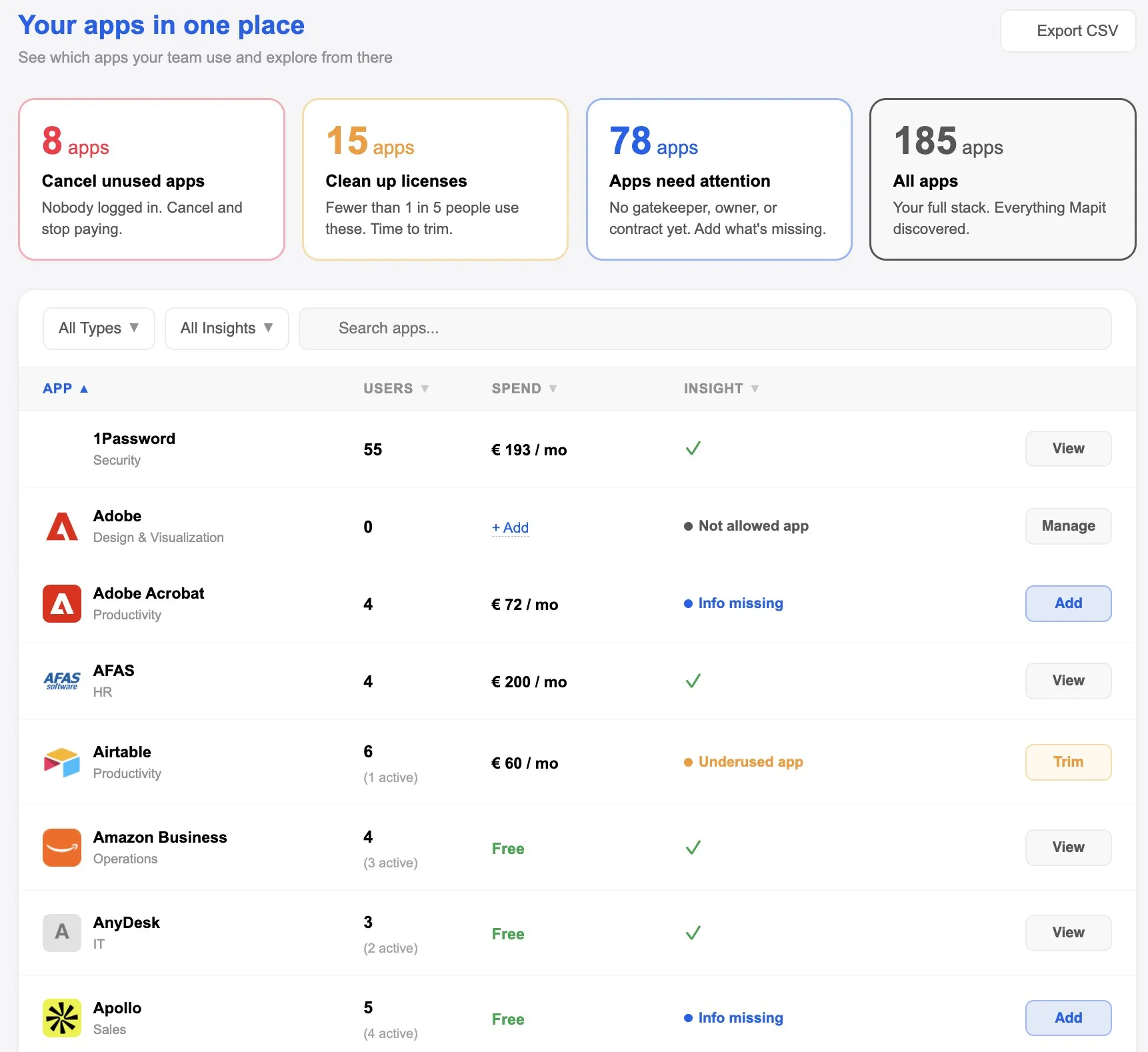
With an acquisition you also buy a pile of software nobody has taken stock of. Two CRMs side by side, and accounts of people who had already left. Mapit brings all workspaces together in one overview: which apps are running, who has access and whether they are still used, so you can clean up.
What you want on the table first after an acquisition
The due diligence list goes stale right away
During due diligence, a list of all apps and licenses was probably made. You make a list like that once in Excel and after that it is no longer accurate, because new apps are added every day. Mapit scans daily, so new apps and new users show up by themselves.
Access that moved along
At the acquired company, people left without their accounts being closed. You see them in the overview, revoke the access and cancel the license. Safer, and no more unnecessary costs. See Offboarding.
The same tool, paid for twice
Both companies had their own subscriptions, and after the acquisition they simply keep running. For each app you see how many people have access and how many of them still open it. That lets you compare them properly and decide which tool you keep and which you drop.
Two environments, one overview
If both companies are already merged into one workspace, everything is in the same overview by itself. If there are still two or more environments, you connect them all and still see them in one overview. There you see which tools do the same thing and where access is still open.
Where to start: SaaS inventory. Also relevant: Offboarding and Unused apps.
Connect and done: one connection to Google Workspace or Microsoft 365 plus a browser extension, no IT project. The overview stays accurate without anyone maintaining it. No lists, no credit card statements, no finance admin, no digging around.
Know exactly what you got with an acquisition.
Frequently asked questions
We still have two separate workspaces, is that possible?
Yes. You connect both in Mapit and see everything in one overview. There you see which tools do the same thing and where access is still open. Multiple workspaces are part of Enterprise. Contact us at hello@mapit.nl and we will tailor it to your situation.
How soon do we see the apps of the acquired company?
As soon as the workspace is connected, the apps and the people with access are in it. Employees do not have to do or install anything: the extension is pushed to their devices, and after that you also see the apps people sign in to through the browser. Who actually still uses an app you see later: for the first thirty days that is still unknown, and after about two months the assessment of inactivity is reliable.
How do we see which tools are duplicates?
For each app you see the category, the number of people with access and how many of them still sign in. Two tools for the same purpose sit side by side in the list, and with those usage figures you know which of the two to keep.
What do we do with people who had already left before the acquisition?
Mapit shows everyone who could ever sign in to an app and whose access was never revoked, even if they left before the acquisition. You revoke that access, and for each app you check it off as soon as the license is cancelled.
Do we have to enter all contracts first?
No. The apps, the users and the usage come in automatically. You enter costs and contract details yourself, and you can limit that to the apps that matter, for example the duplicate subscriptions you want to cancel.
Does this also help if we want group-wide certification?
For the app and access part, yes. For each app you record a budget owner and a gatekeeper, and you export the overview in your own organization's name. That is the basis for the asset inventory under ISO 27001 and for Article 30 of the GDPR. See also SaaS inventory.