
Show an up-to-date SaaS inventory at any moment.
The audit question always comes at an inconvenient moment, and your last inventory is months old. Then the asking around begins: is this app still running, who has access, who owns it. Mapit keeps that inventory up to date every day, ready to export.
What a SaaS inventory with Mapit gives you
A SaaS inventory that does not go stale
Putting together a SaaS inventory takes weeks, and the day after it is already out of date. Nobody manages to keep it up alongside their regular work. In Mapit, every app is listed with its users, updated daily, without you having to email anyone.
Record per app what your register needs
You do not start with a blank form, but with the apps that are actually in use. For each app you record whether it holds personal data, the status of the data processing agreement and where the data is located. Mapit makes a suggestion, you confirm. This feature is part of Mapit Complete.
A budget owner and a gatekeeper for every app
Without a point of contact, you do not know where to go with a question about an app. Now you assign two roles per app: a budget owner who decides whether the app is still needed for their team, and a gatekeeper who decides per user whether someone keeps their existing access or loses it.
Proof that access was revoked
An auditor doesn't want to hear that it's taken care of, they want to see when it happened. Former employees now stay in the overview after they leave, with the date their access was revoked. See Offboarding.
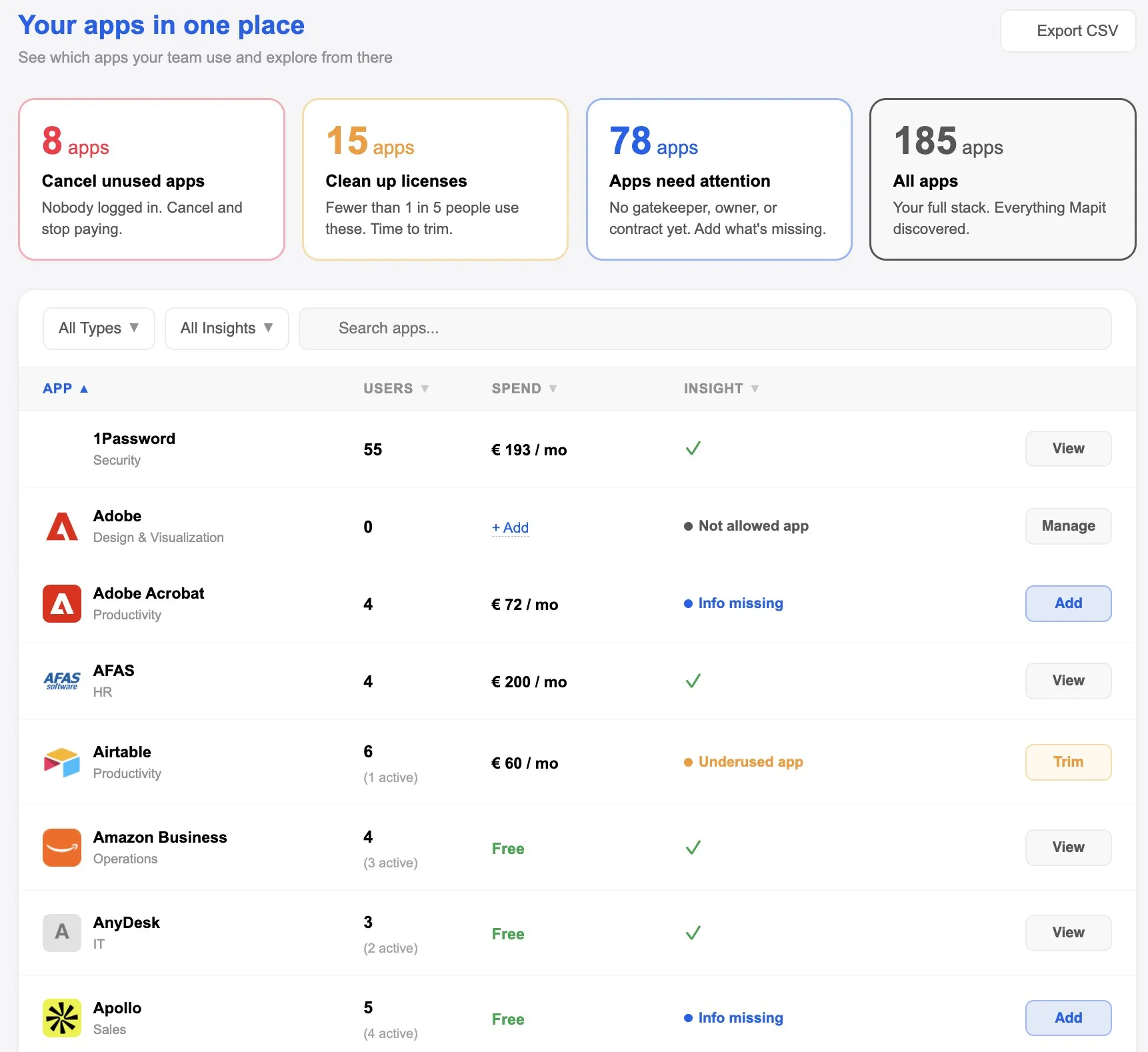
Connect and done: one connection to Google Workspace or Microsoft 365 plus a browser extension, no IT project. The overview stays accurate without anyone maintaining it. No lists, no credit card statements, no finance admin, no digging around.
Export your inventory on the day it is requested.
Frequently asked questions
What exactly does an auditor ask?
Not whether you have a list, but how you make sure it is accurate. An auditor might ask, for example, how an app that Marketing buys on its own ends up in your asset register. They want to hear about a working process, not a snapshot.
What do you hand over in an audit?
An export of your app and user overview: which apps are running, who has access, and who the budget owner and the gatekeeper are. That export is a file of your own organization, and that is what an auditor wants to see.
Which standards does this help with?
For ISO 27001, it is Annex A 5.9, the asset inventory. For GDPR, Article 30, the records of processing activities. And for NIS2, asset management. For all three, Mapit provides the same part: which apps are running and who has access.
How do you show that access was revoked when someone left?
The activity log for each employee contains the whole process, from the moment offboarding starts up to cancelling the license, with the date of each step. You export that log as evidence.
What does this give us for our records of processing?
The basis: which apps are running, who has access and who owns them, updated daily. You export it as a file, listing the apps for each processing activity, to put next to your own records. Those records remain yours and should also exist outside Mapit. You add the purpose of processing, the retention periods and your security measures yourself; Article 30 of the GDPR lists what else belongs in them.
What does Mapit fill in, and what do you do?
For each app, Mapit suggests the personal data, the data location and the transfer mechanism; you confirm or adjust it. You track the status of the data processing agreement per app, with the date. What personal data an app actually holds, Mapit cannot see. You know that.
Is this included in every plan?
The compliance features are part of Mapit Complete. Starter shows which apps are running, who has access and whether they are used.
What does Mapit see of our data?
We only look at metadata, not inside the apps themselves, and we host your data in the Netherlands. So: which apps are running, who has access and whether they are used, not the content of apps or files.